
Just click and klok
Le temps, c'est de
l'argent. Contrôlez-le.
Klok est le logiciel de suivi du temps conçu pour les indépendants et les PME suisses. Aucun cloud. Aucune dépendance à Google, Microsoft ou Meta. Vos données vous appartiennent — pour toujours.
Zeit ist Geld.
Behalten Sie den Überblick.
Klok ist die Zeiterfassungssoftware für Schweizer Selbstständige und KMU. Kein Cloud. Keine Abhängigkeit von Google, Microsoft oder Meta. Ihre Daten gehören Ihnen — für immer.
Time is money.
Take control of it.
Klok is the time tracking software built for Swiss freelancers and small businesses. No cloud. No dependency on Google, Microsoft or Meta. Your data belongs to you — forever.
Fonctionnalités
Tout ce qu'il faut.
Rien de superflu.
Conçu pour aller à l'essentiel. Démarrez un chrono, attribuez un client, exportez en Excel. C'est tout.
Alles Nötige.
Nichts Überflüssiges.
Auf das Wesentliche ausgerichtet. Timer starten, Kunden zuweisen, Excel exportieren. Das war's.
Everything you need.
Nothing you don't.
Built to get to the point. Start a timer, assign a client, export to Excel. That's it.
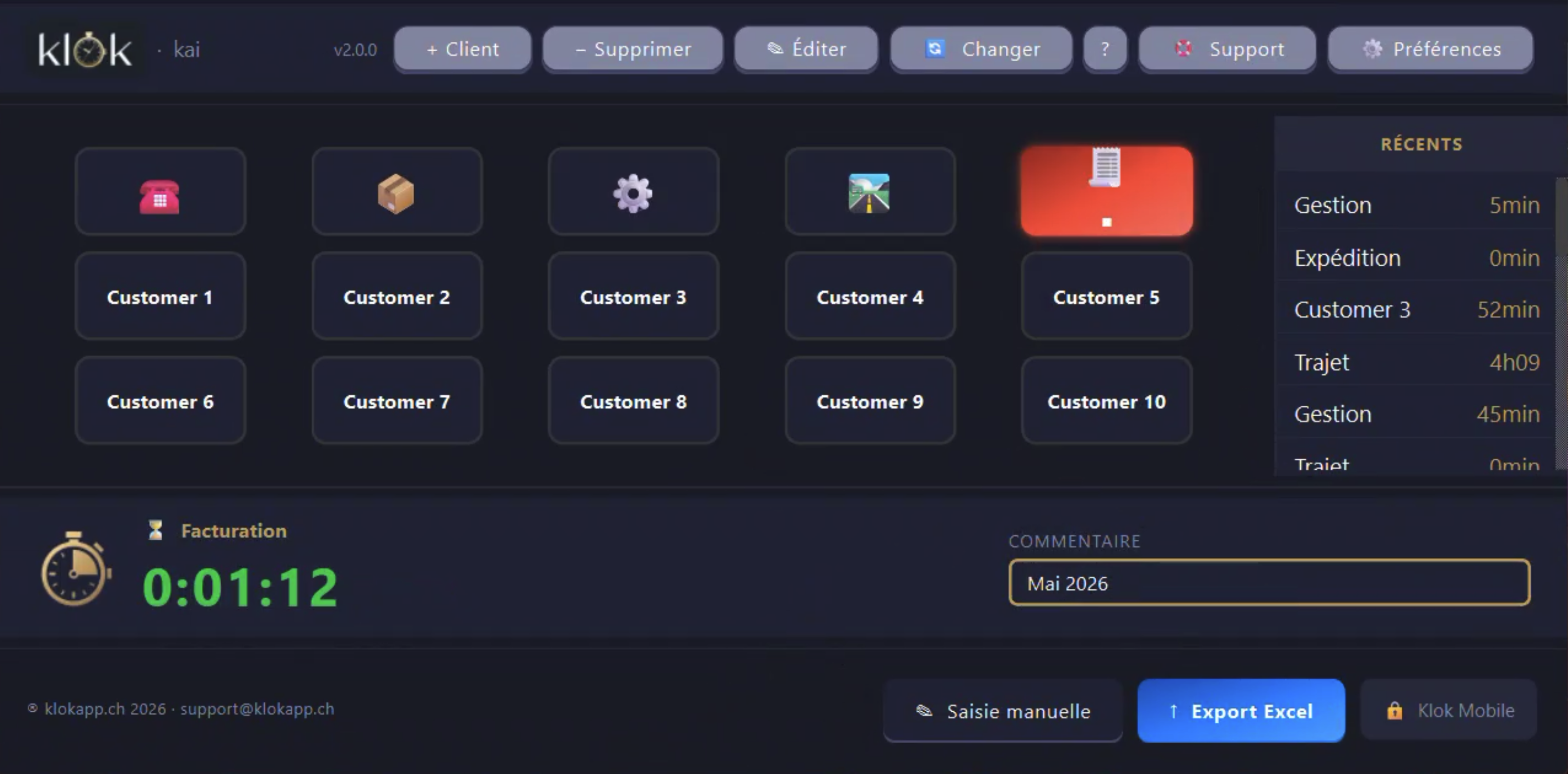
Démarrez et arrêtez le suivi du temps instantanément. Le minuteur tourne en arrière-plan, même fenêtre réduite.
Zeiterfassung sofort starten und stoppen. Der Timer läuft im Hintergrund weiter, auch minimiert.
Start and stop time tracking instantly. The timer runs in the background even when minimised.
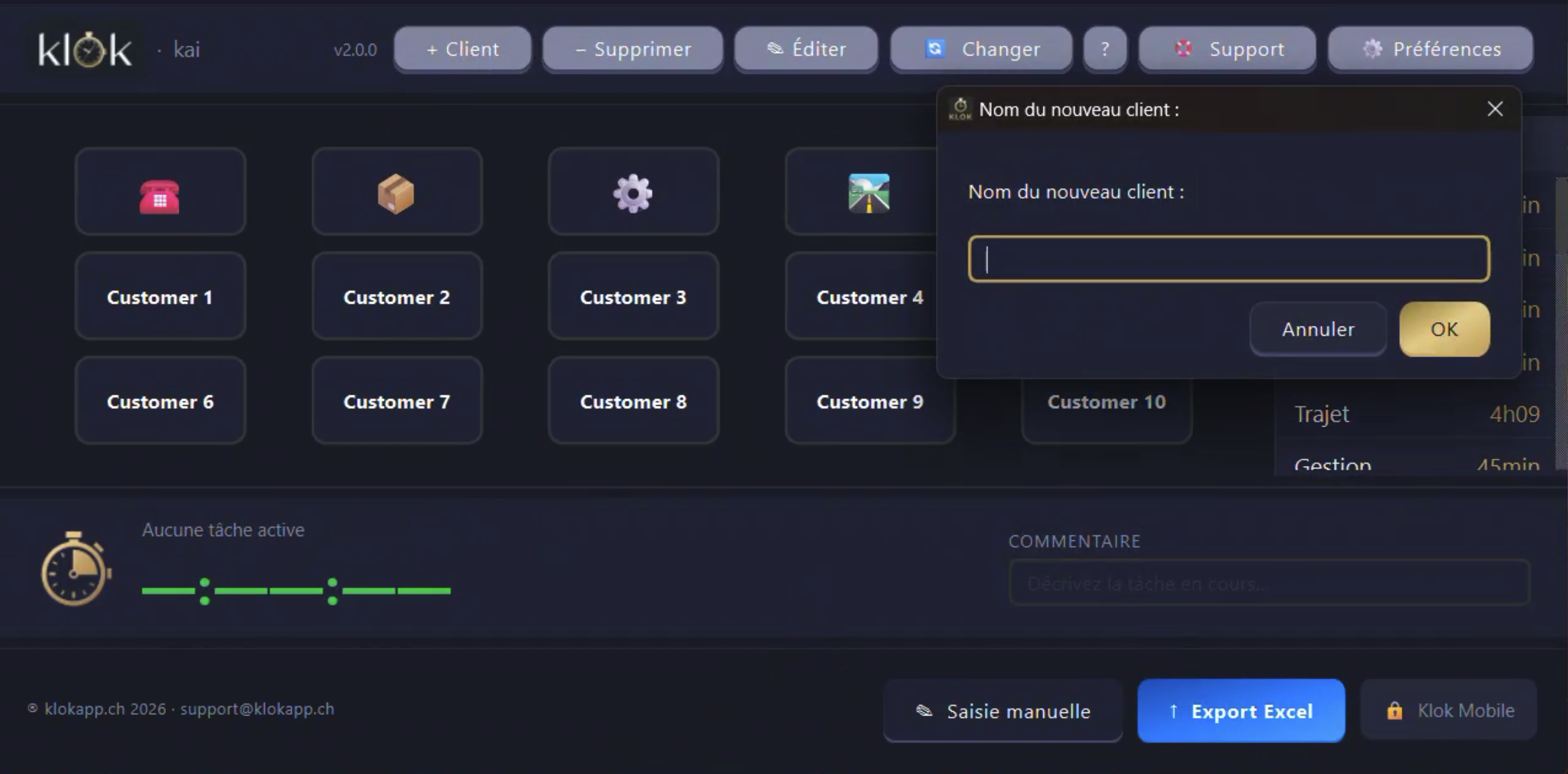
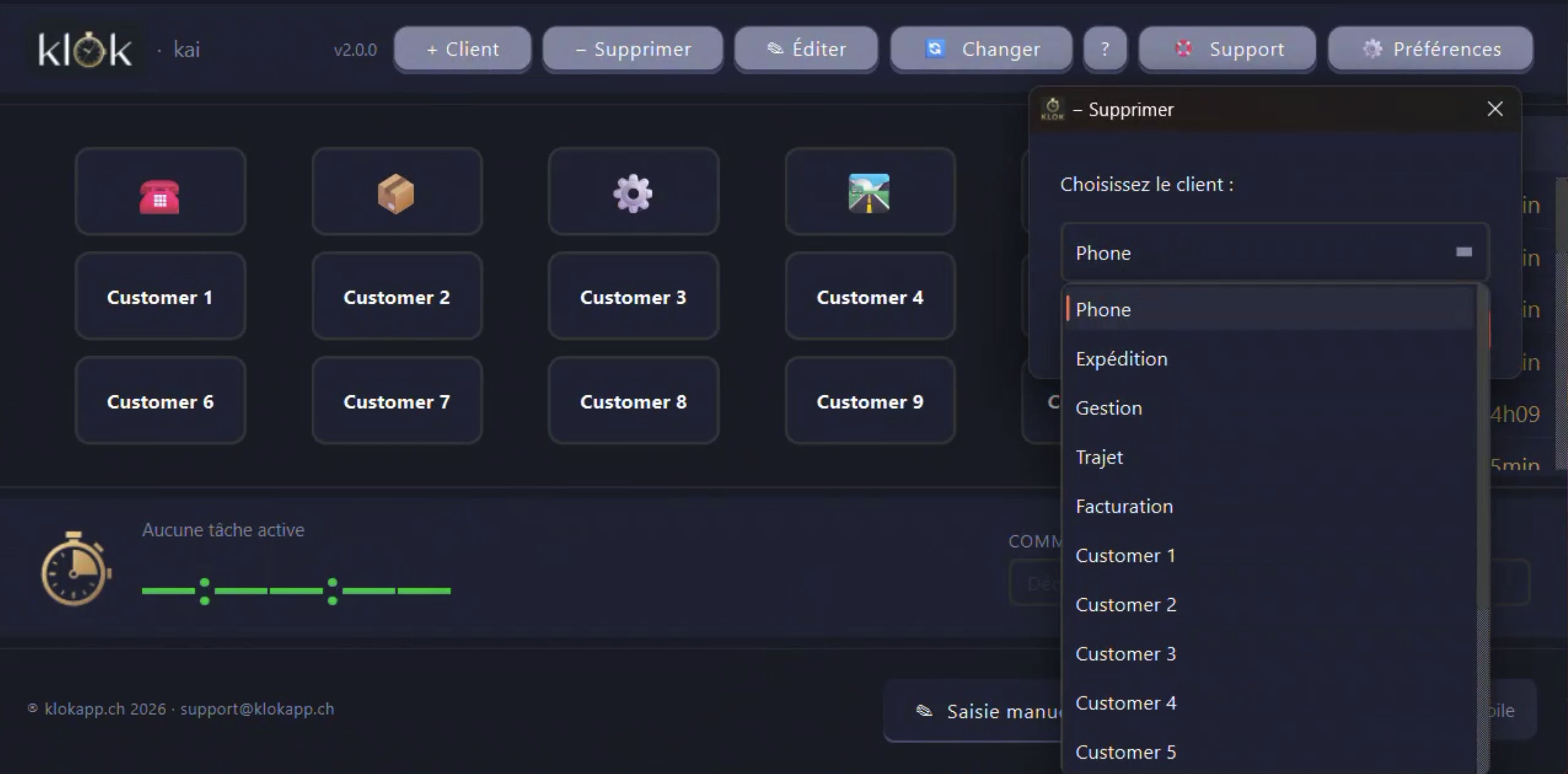
Créez et gérez votre liste de clients. Chaque session est associée à un client pour un suivi précis.
Erstellen und verwalten Sie Ihre Kundenliste. Jede Sitzung wird einem Kunden für eine präzise Nachverfolgung zugeordnet.
Create and manage your client list. Each session is linked to a client for precise tracking.
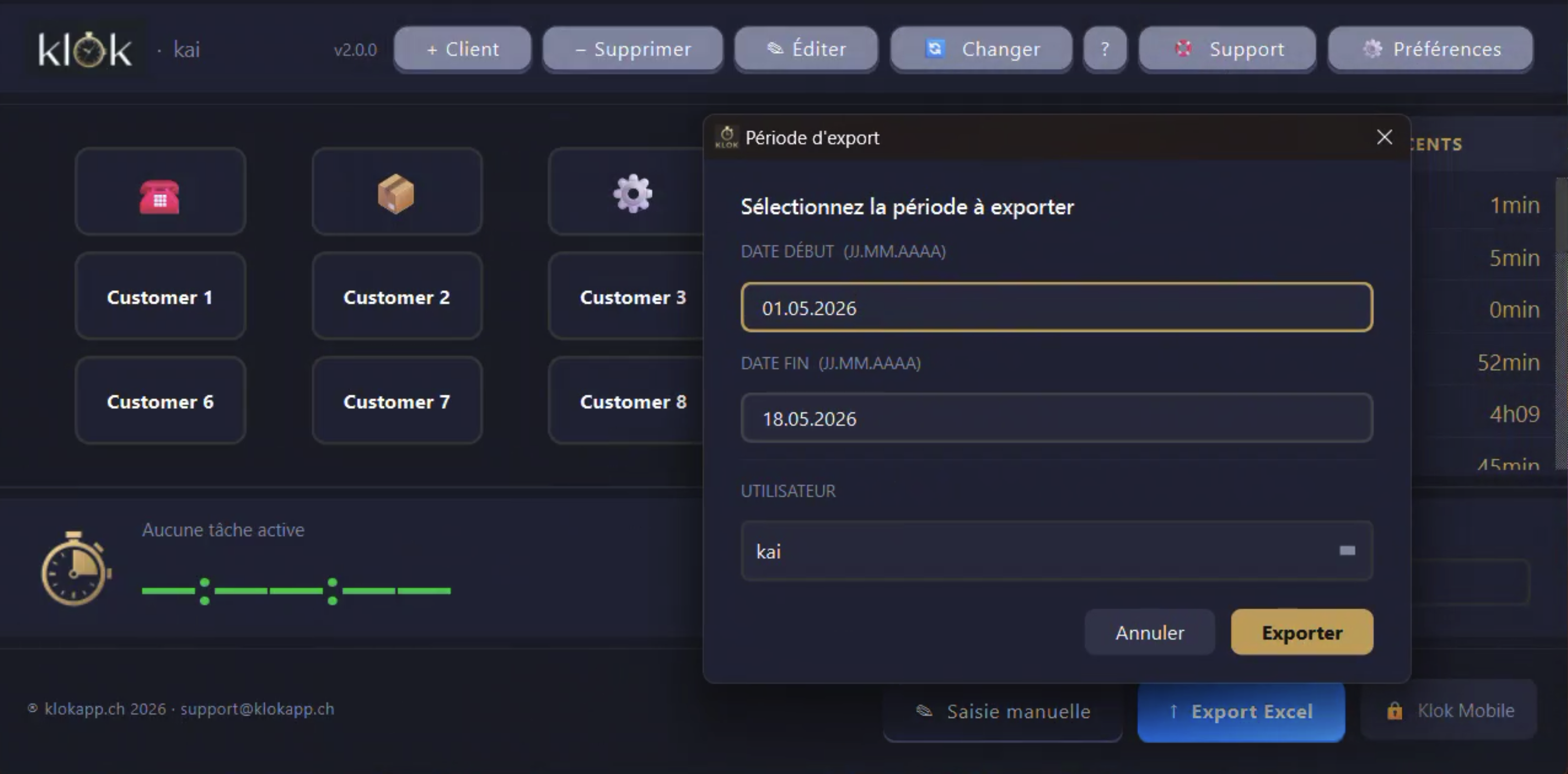
Exportez vos heures en Excel ou CSV structuré, prêt à importer directement dans Crésus, Sage ou Winbiz — sans retouche manuelle.
Exportieren Sie Ihre Stunden als Excel oder strukturiertes CSV, bereit zum direkten Import in Crésus, Sage oder Winbiz — ohne manuelle Nachbearbeitung.
Export your hours as Excel or structured CSV, ready to import directly into Crésus, Sage or Winbiz — no manual editing required.
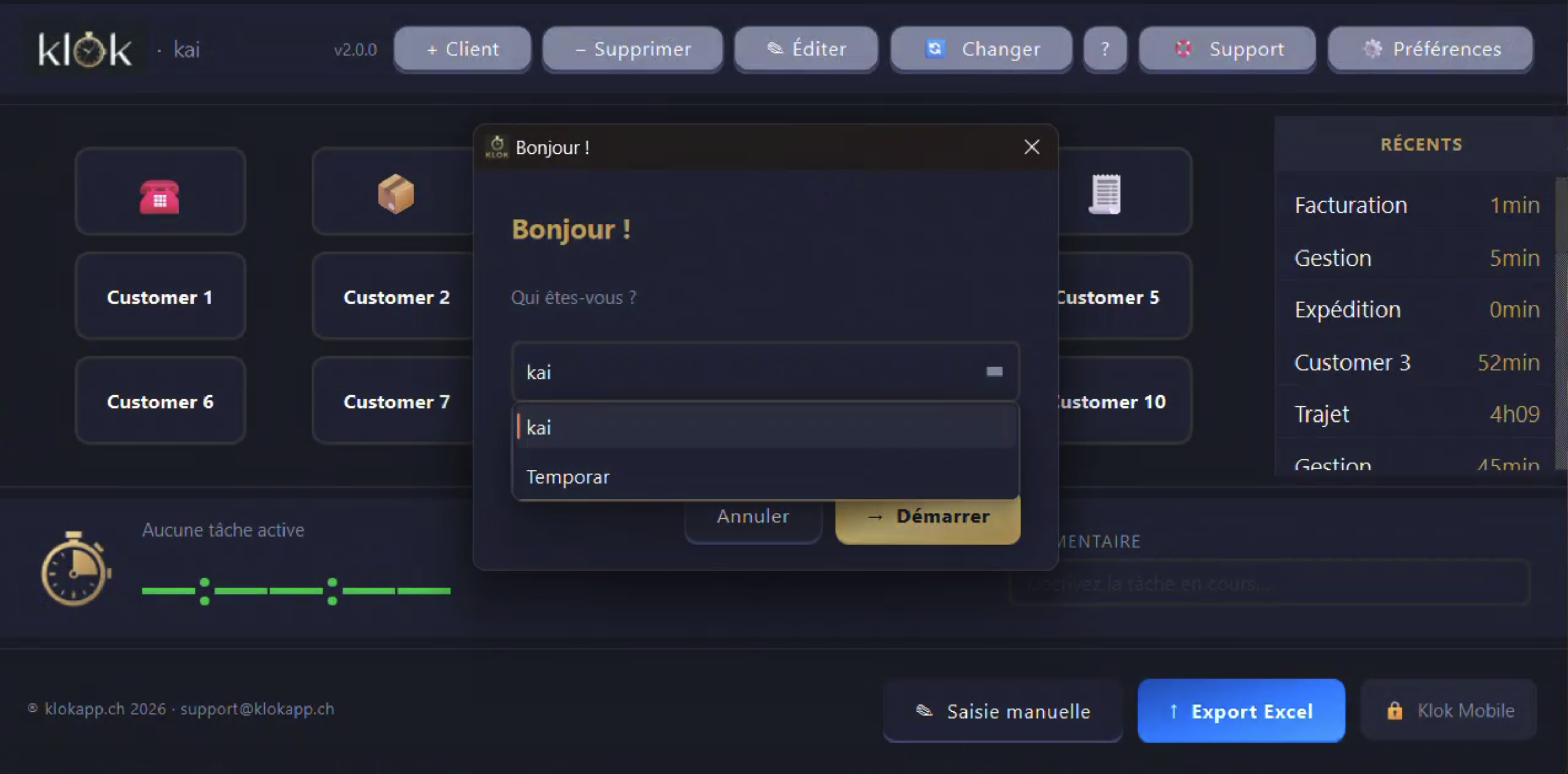
Plusieurs collaborateurs sur un poste partagé. Chaque session est liée à l'utilisateur actif.
Mehrere Mitarbeiter auf einem gemeinsamen Arbeitsplatz. Jede Sitzung wird dem aktiven Benutzer zugeordnet.
Multiple collaborators on a shared workstation. Each session is linked to the active user.
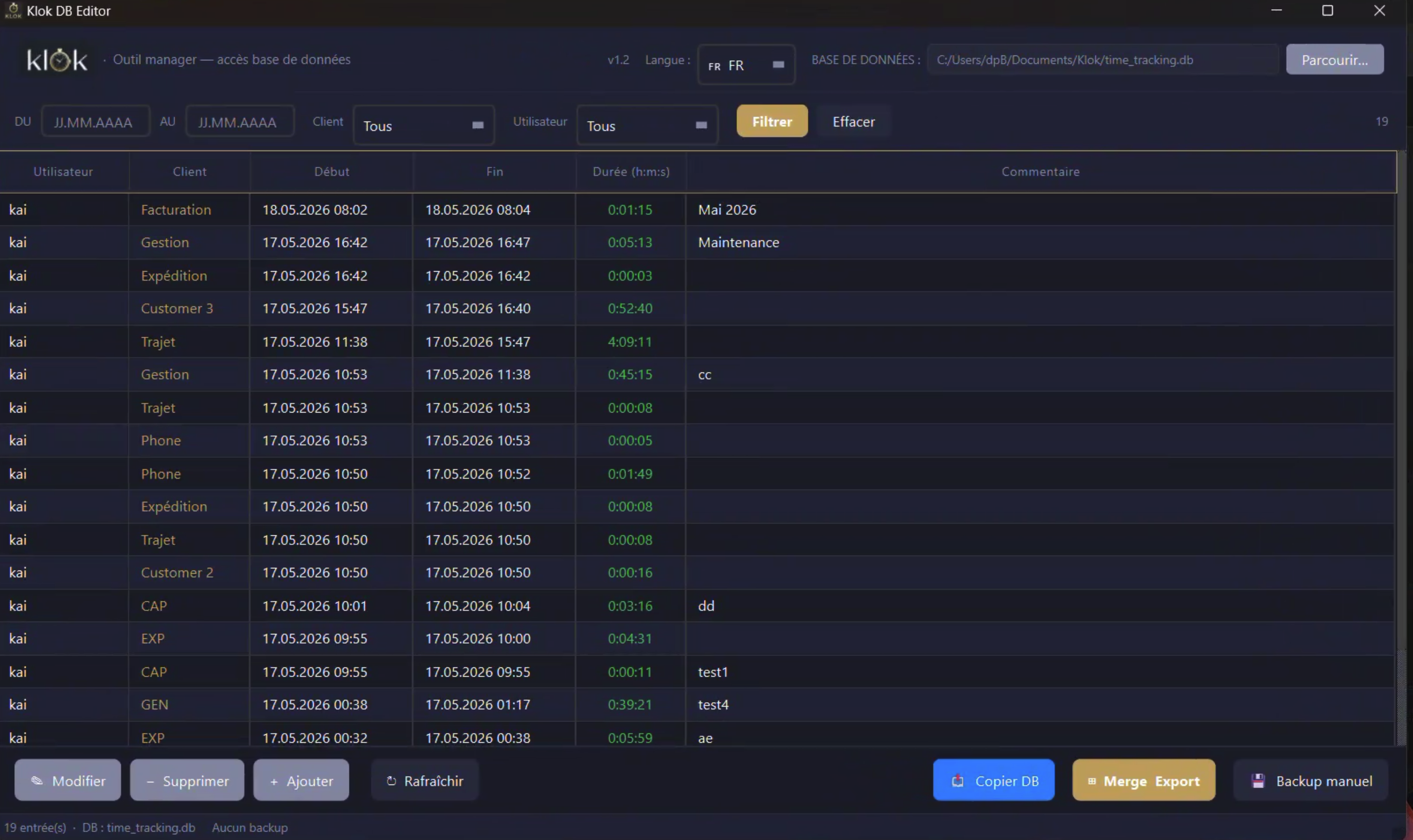
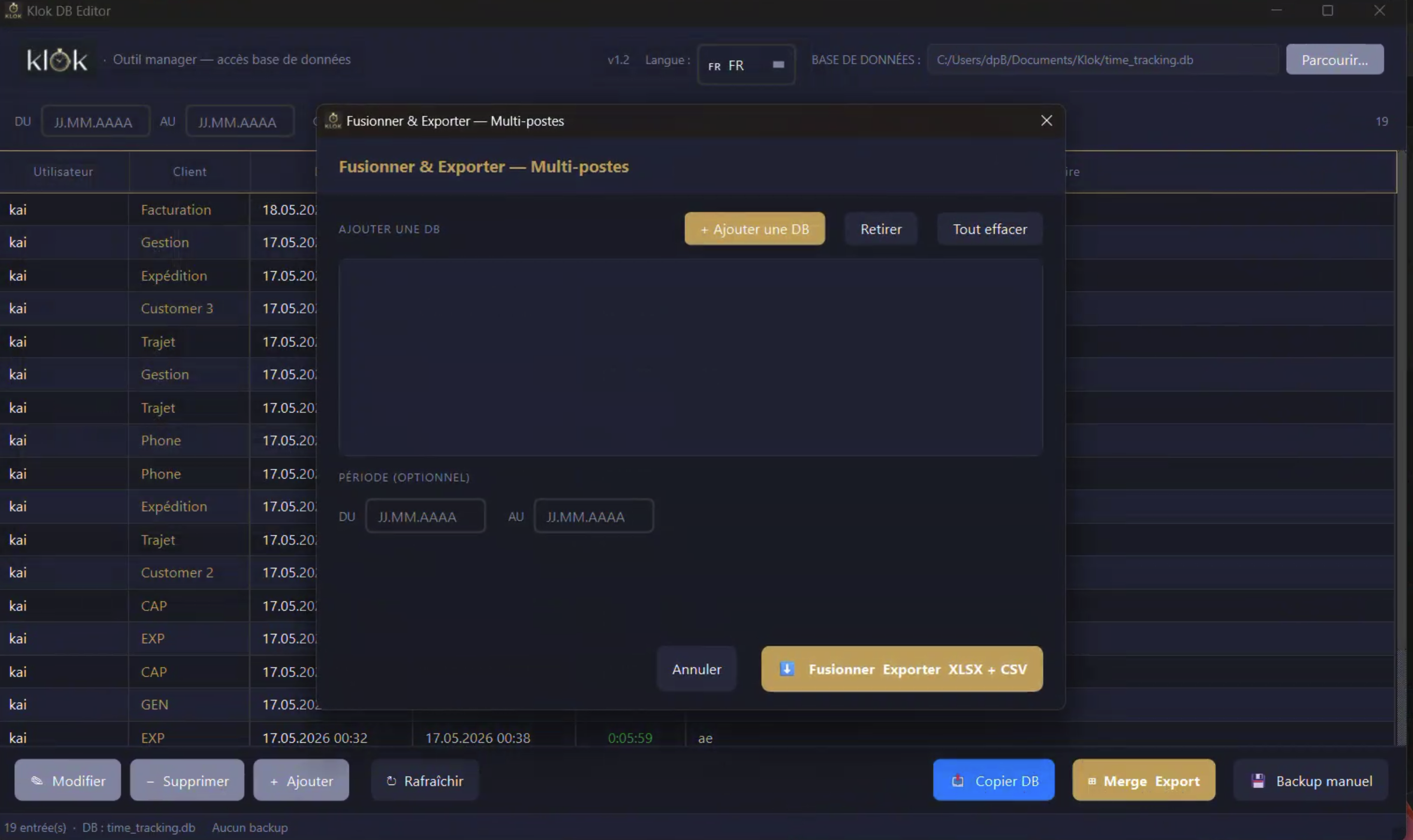
Application dédiée avec tableau filtrable (période, client, utilisateur). Modifiez, ajoutez, supprimez des entrées. Backup horodaté, copie DB, fusion multi-postes et export XLSX+CSV en un clic.
Dedizierte App mit filterbarer Tabelle (Zeitraum, Kunde, Benutzer). Einträge bearbeiten, hinzufügen, löschen. Zeitgestempeltes Backup, DB-Kopie, Multi-Arbeitsplatz-Zusammenführung und XLSX+CSV-Export per Klick.
Dedicated app with filterable table (period, client, user). Edit, add or delete entries. Timestamped backup, DB copy, multi-workstation merge and XLSX+CSV export in one click.
Aucun cloud, aucune donnée envoyée. Vos informations restent sur votre machine, point final.
Keine Cloud, keine gesendeten Daten. Ihre Informationen bleiben auf Ihrem Gerät, Punkt.
No cloud, no data sent anywhere. Your information stays on your machine, full stop.
Klok Editor — Outil manager
Votre base de données.
Directement.
Klok Editor est une application dédiée, séparée de l'app principale. Elle vous donne un accès complet à vos données de temps — sans intermédiaire, sans cloud, sans abonnement.
- ▸Tableau filtrable — filtrez par période, client ou utilisateur. Navigation instantanée dans des mois de données.
- ▸Modifier · Ajouter · Supprimer — corrigez une entrée oubliée, ajoutez une session manquante, supprimez une erreur.
- ▸Fusion multi-postes Team — importez les bases de plusieurs collaborateurs, fusionnez-les et exportez en XLSX + CSV en un clic.
- ▸Backup & copie DB — sauvegarde manuelle horodatée, copie de la base pour archivage ou migration.
- ▸Aucun réseau requis — la fusion se fait en local via clé USB. Zéro dépendance cloud.
Ihre Datenbank.
Direkt.
Klok Editor ist eine dedizierte App, getrennt von der Hauptanwendung. Sie erhalten vollständigen Zugriff auf Ihre Zeitdaten — ohne Vermittler, ohne Cloud, ohne Abo.
- ▸Filterbare Tabelle — nach Zeitraum, Kunde oder Benutzer filtern. Sofortige Navigation in monatelangen Daten.
- ▸Bearbeiten · Hinzufügen · Löschen — vergessene Einträge korrigieren, fehlende Sitzungen hinzufügen, Fehler entfernen.
- ▸Multi-Arbeitsplatz-Zusammenführung Team — Datenbanken mehrerer Mitarbeiter importieren, zusammenführen und als XLSX + CSV exportieren.
- ▸Backup & DB-Kopie — manuelles zeitgestempeltes Backup, Datenbankkopiefür Archivierung oder Migration.
- ▸Kein Netzwerk erforderlich — Zusammenführung lokal per USB-Stick. Null Cloud-Abhängigkeit.
Your database.
Directly.
Klok Editor is a dedicated app, separate from the main application. It gives you full access to your time data — no middleman, no cloud, no subscription.
- ▸Filterable table — filter by period, client or user. Instant navigation through months of data.
- ▸Edit · Add · Delete — fix a forgotten entry, add a missing session, remove a mistake.
- ▸Multi-workstation merge Team — import databases from multiple staff members, merge them and export as XLSX + CSV in one click.
- ▸Backup & DB copy — manual timestamped backup, database copy for archiving or migration.
- ▸No network required — merge done locally via USB drive. Zero cloud dependency.
Aperçu
Klok en action
Klok in Aktion
Klok in action
Démarrage rapide
Opérationnel en 3 minutes
Pas de serveur, pas d'inscription, pas de configuration complexe.
In 3 Minuten einsatzbereit
Kein Server, keine Registrierung, keine komplexe Konfiguration.
Up and running in 3 minutes
No server, no registration, no complex setup.
Récupérez le fichier correspondant à votre OS (Windows ou macOS).
Laden Sie die Datei für Ihr Betriebssystem herunter (Windows oder macOS).
Get the file for your OS (Windows or macOS).
Entrez votre clé de licence au premier lancement. Une fois, c'est tout.
Geben Sie beim ersten Start Ihren Lizenzschlüssel ein. Einmalig, fertig.
Enter your licence key on first launch. Once, that's it.
Créez la liste de vos clients ou mandants en quelques secondes.
Erstellen Sie Ihre Kunden- oder Auftraggeberliste in wenigen Sekunden.
Create your list of clients or principals in seconds.
Sélectionnez un client et appuyez sur Démarrer. Klok fait le reste.
Wählen Sie einen Kunden und drücken Sie Start. Klok erledigt den Rest.
Select a client and press Start. Klok does the rest.