Klok
FR DE EN
Designed in Switzerland

Just click and klok

Time is money.
Take control of it.

Klok is the time tracking software built for Swiss freelancers and small businesses. No cloud. No dependency on Google, Microsoft or Meta. Your data belongs to you — forever.

Zero cloud · Zero Big Tech
Your data stays with you
Lifetime licence, no subscription
Works without internet
🇨🇭 Designed in Biel, Switzerland

Everything you need.
Nothing you don't.

Built to get to the point. Start a timer, assign a client, export to Excel. That's it.

One-click timer

Start and stop time tracking instantly. The timer runs in the background even when minimised.

Client management

Create and manage your client list. Each session is linked to a client for precise tracking.

XLSX & CSV export

Export your hours as Excel or structured CSV, ready to import directly into Crésus, Sage or Winbiz — no manual editing required.

Multi-userTeam

Multiple collaborators on a shared workstation. Each session is linked to the active user.

Klok EditorManager

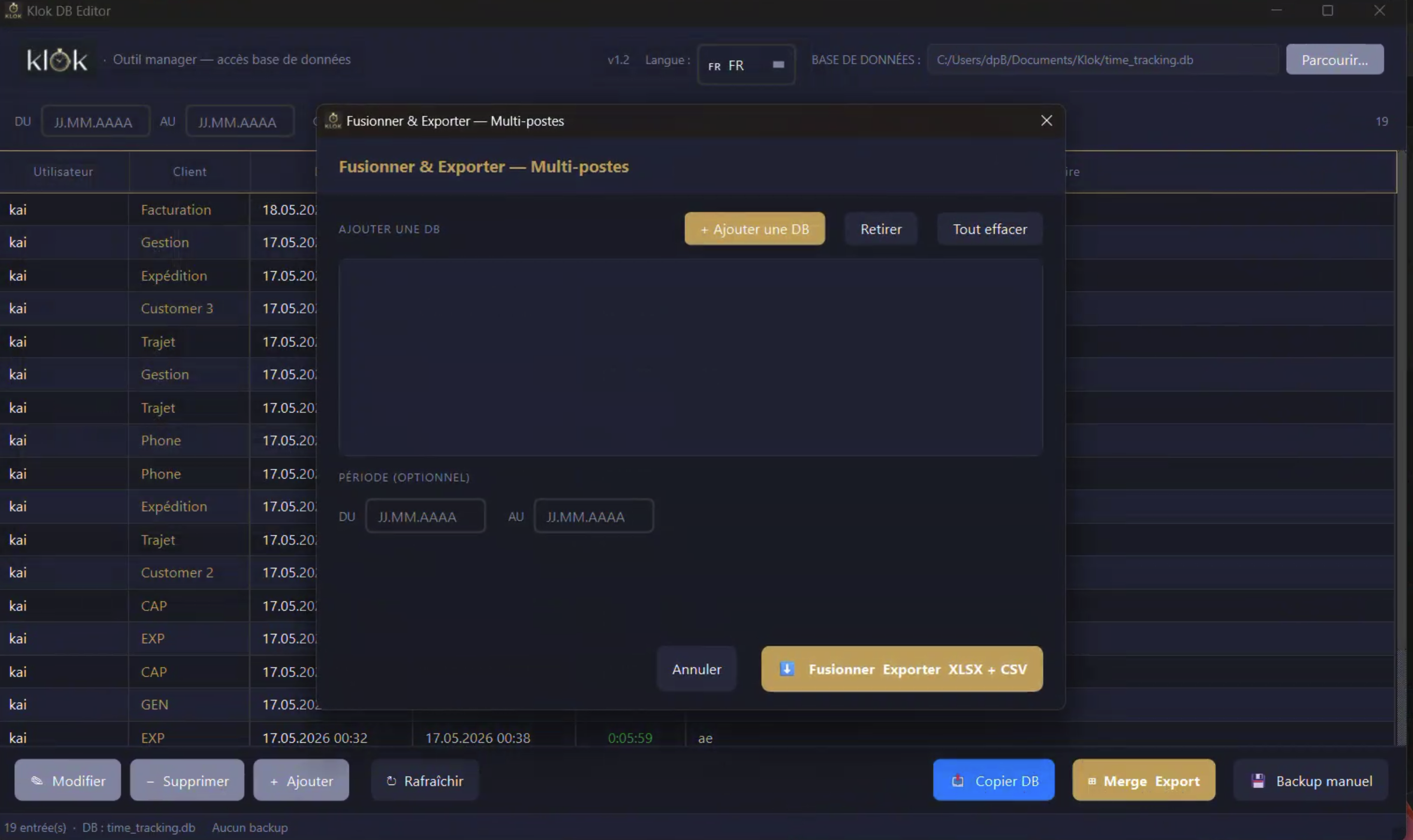
Dedicated app with filterable table (period, client, user). Edit, add or delete entries. Timestamped backup, DB copy, multi-workstation merge and XLSX+CSV export in one click.

100% local, 100% private

No cloud, no data sent anywhere. Your information stays on your machine, full stop.

Your database.
Directly.

Klok Editor is a dedicated app, separate from the main application. It gives you full access to your time data — no middleman, no cloud, no subscription.

  • Filterable table — filter by period, client or user. Instant navigation through months of data.
  • Edit · Add · Delete — fix a forgotten entry, add a missing session, remove a mistake.
  • Multi-workstation mergeTeam — import databases from multiple staff members, merge them and export as XLSX + CSV in one click.
  • Backup & DB copy — manual timestamped backup, database copy for archiving or migration.
  • No network required — merge done locally via USB drive. Zero cloud dependency.
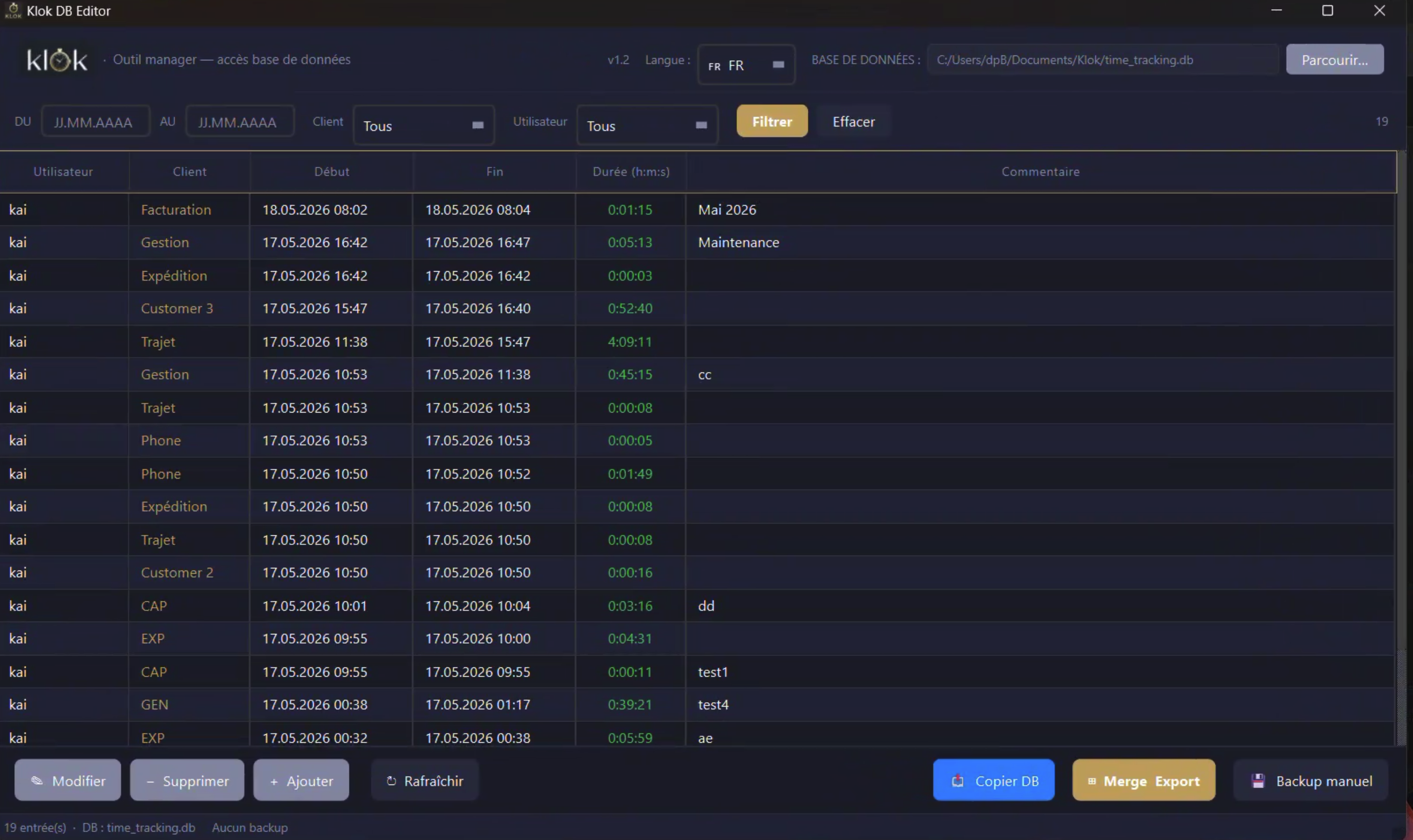
Klok Editor — time entries table with filters
Klok Editor — Merge and Export dialog

Klok in action

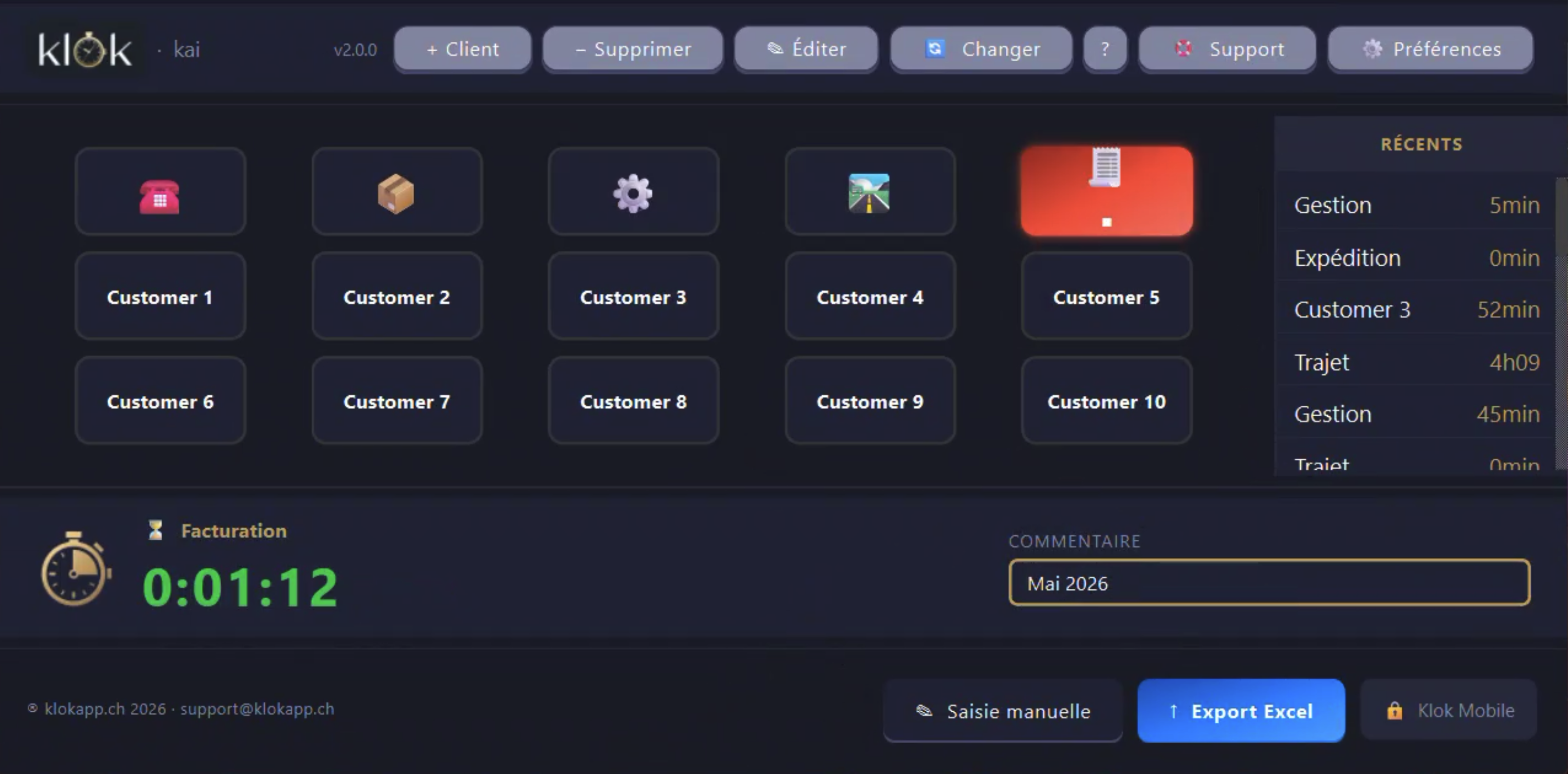
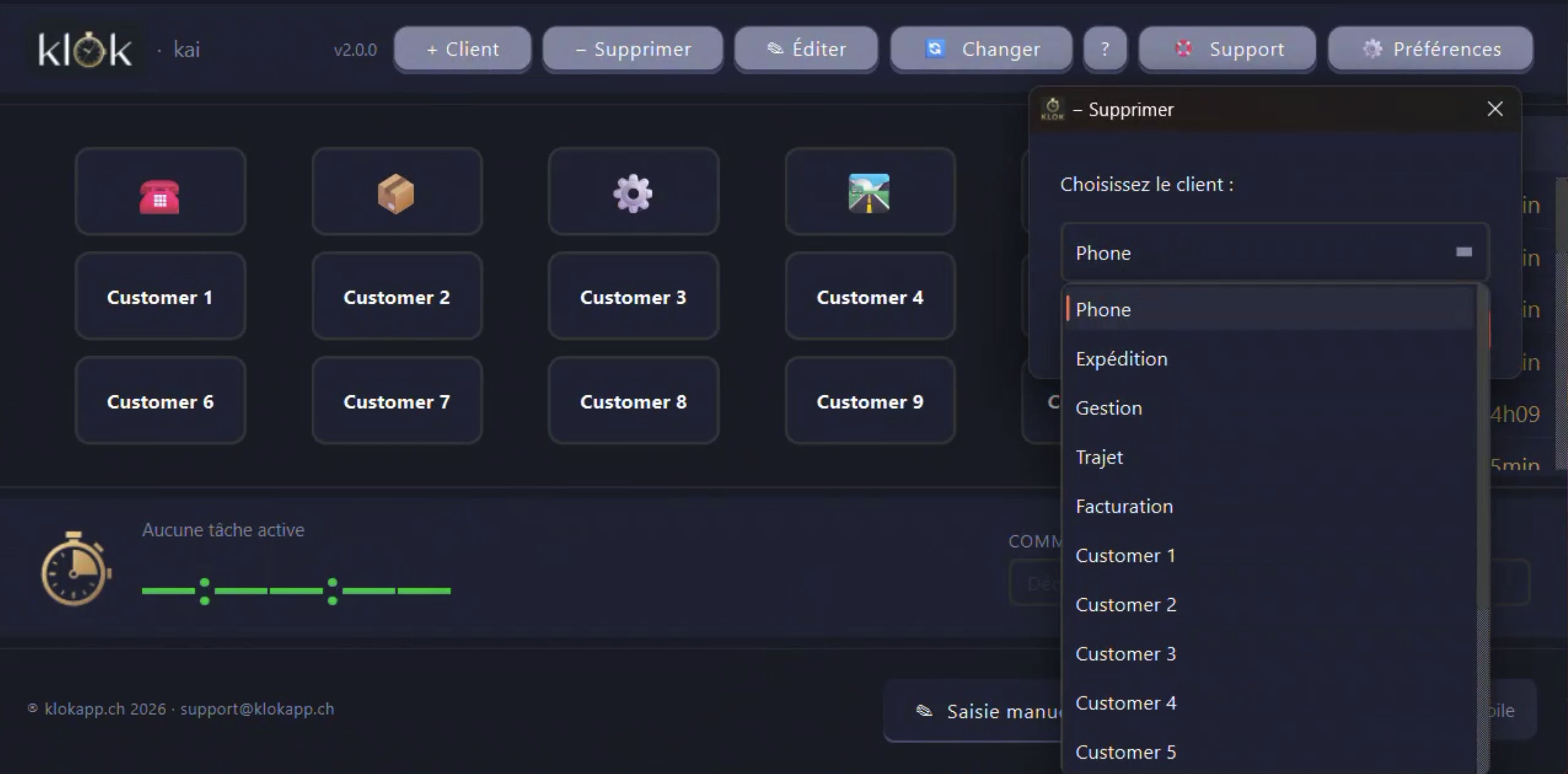
Klok main interface — active timer, client in red, Recents panel
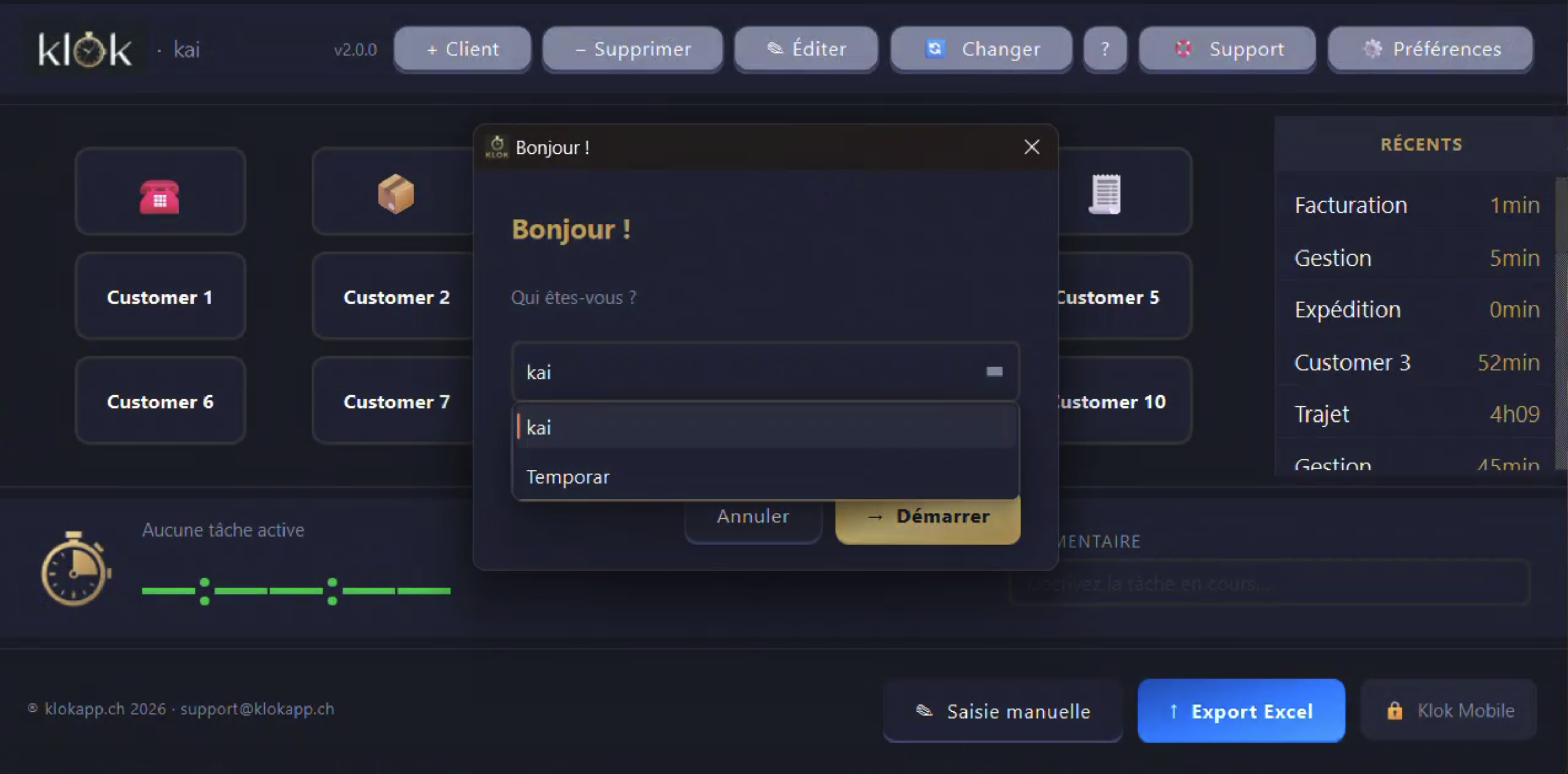
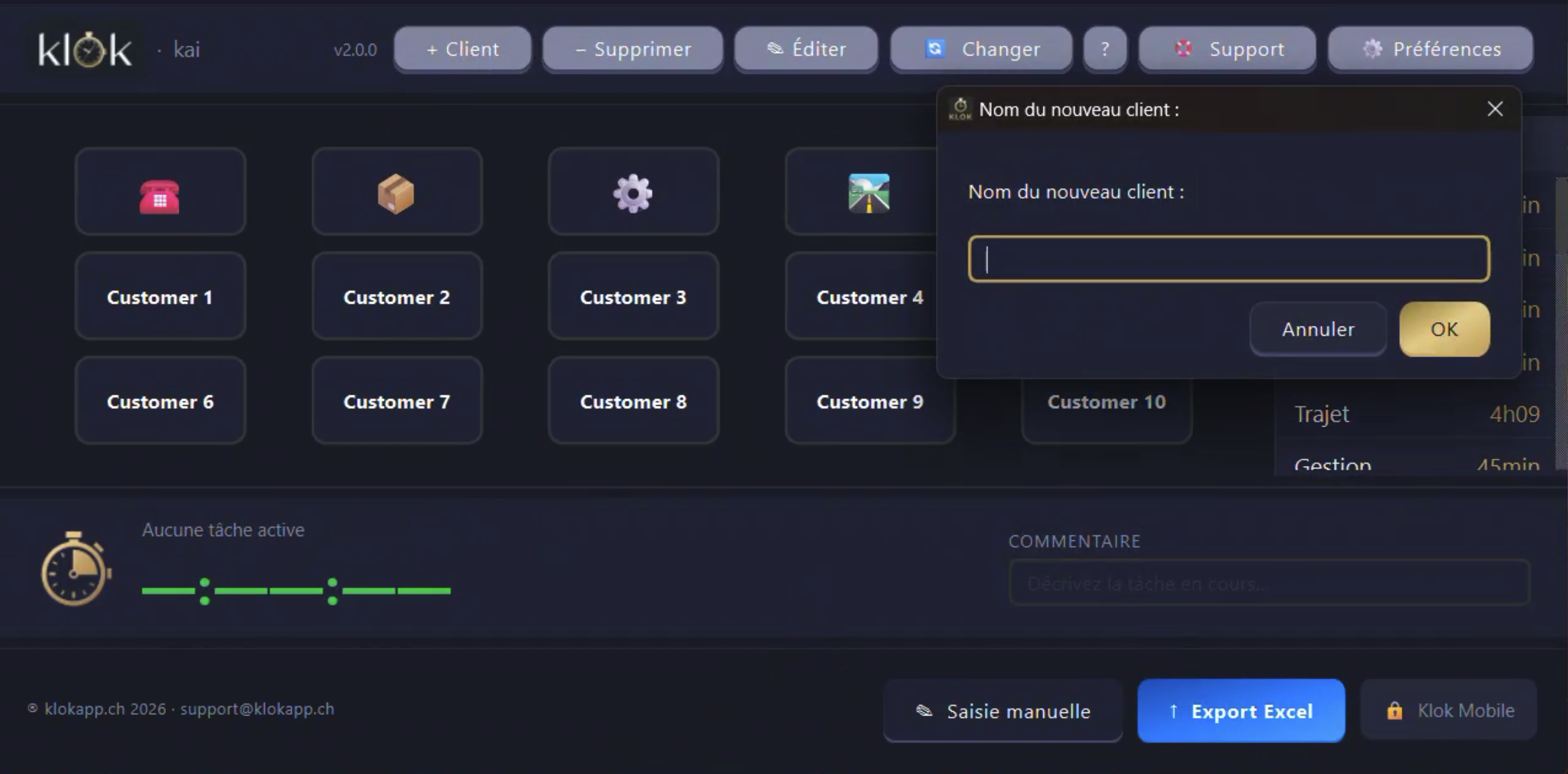
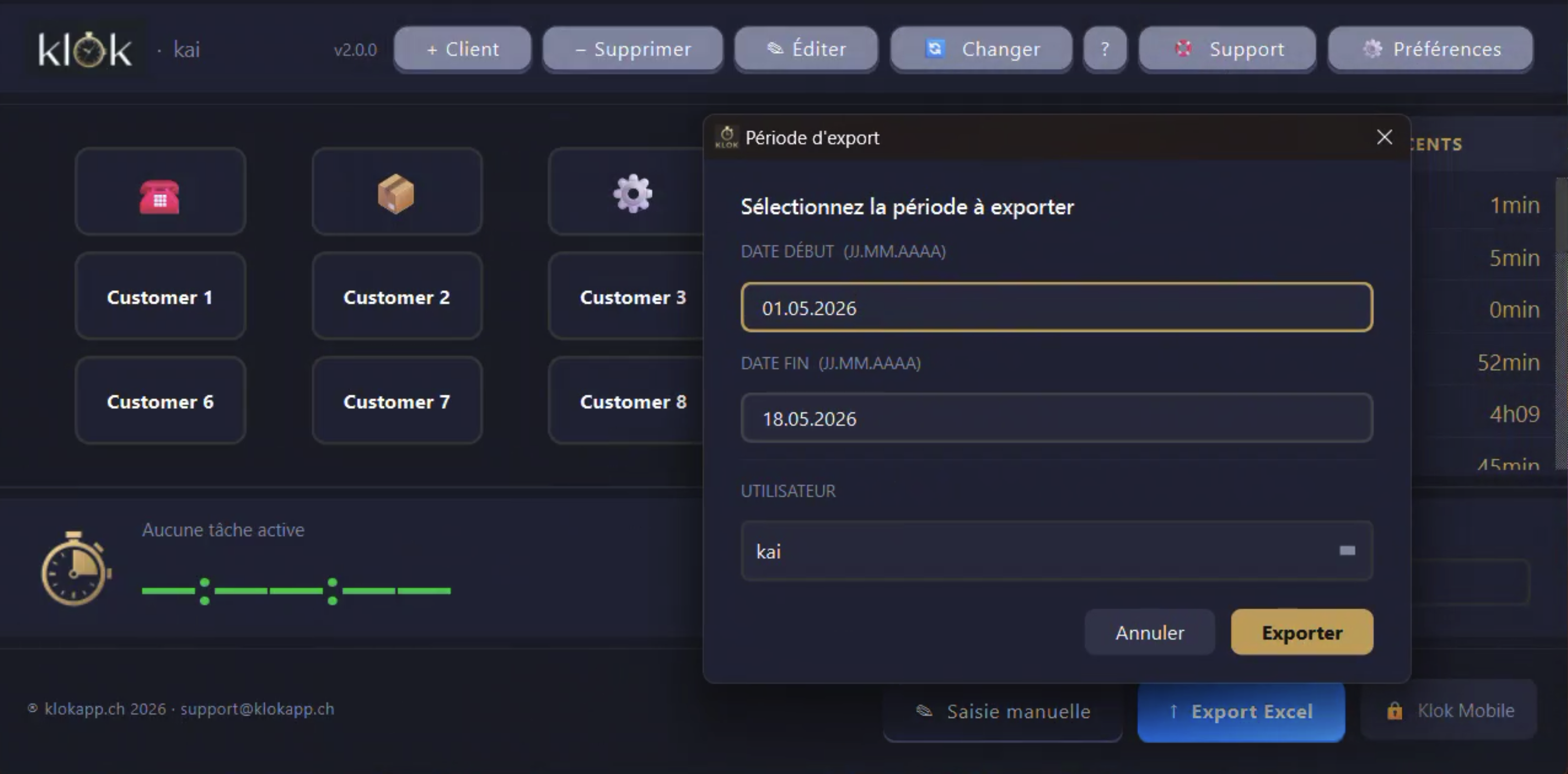
Klok — user login dialogKlok — add a new clientKlok — delete a clientKlok — Excel export period

Up and running in 3 minutes

No server, no registration, no complex setup.

1
Download

Get the file for your OS (Windows or macOS).

2
Activate

Enter your licence key on first launch. Once, that's it.

3
Add your clients

Create your list of clients or principals in seconds.

4
Start the timer

Select a client and press Start. Klok does the rest.
Free · iOS & Android

Klok in your pocket.
Free.

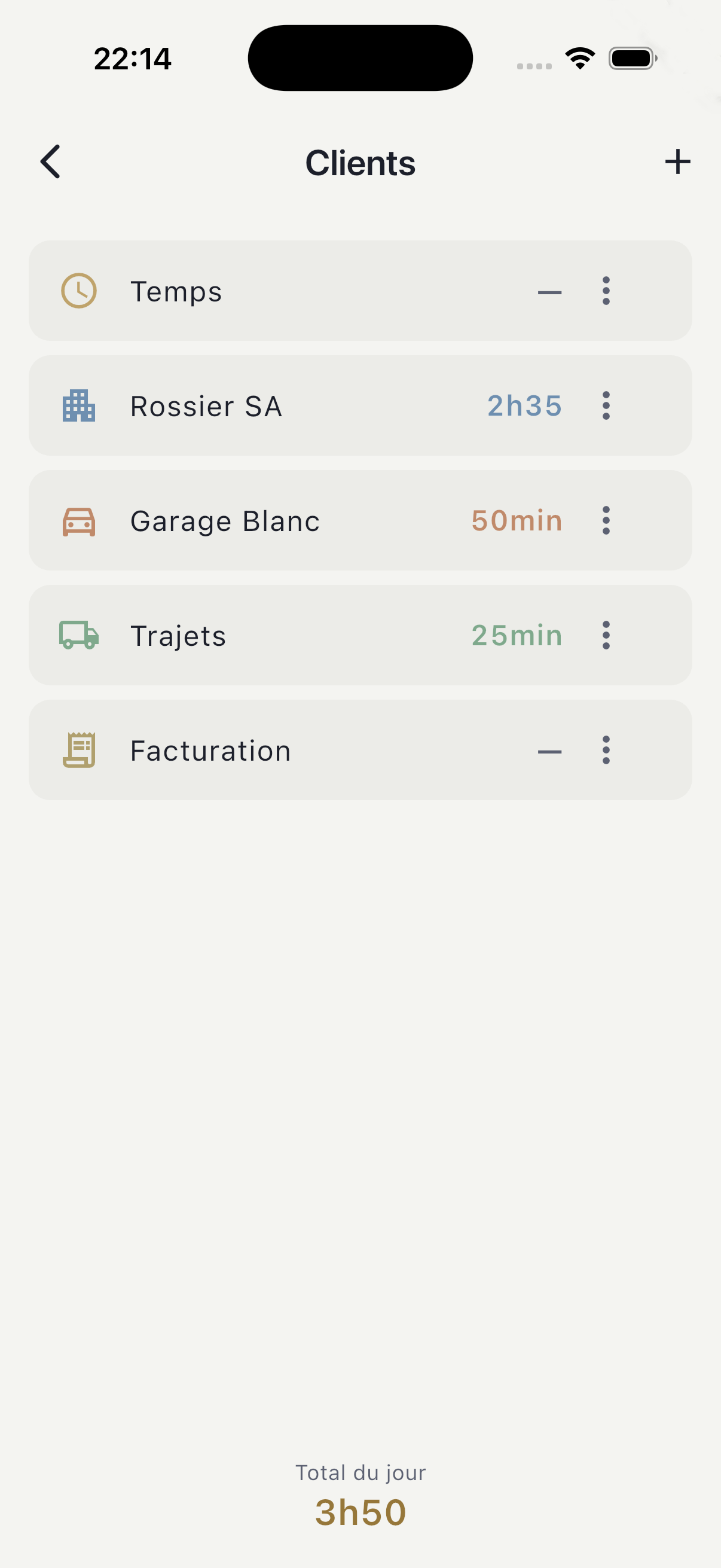
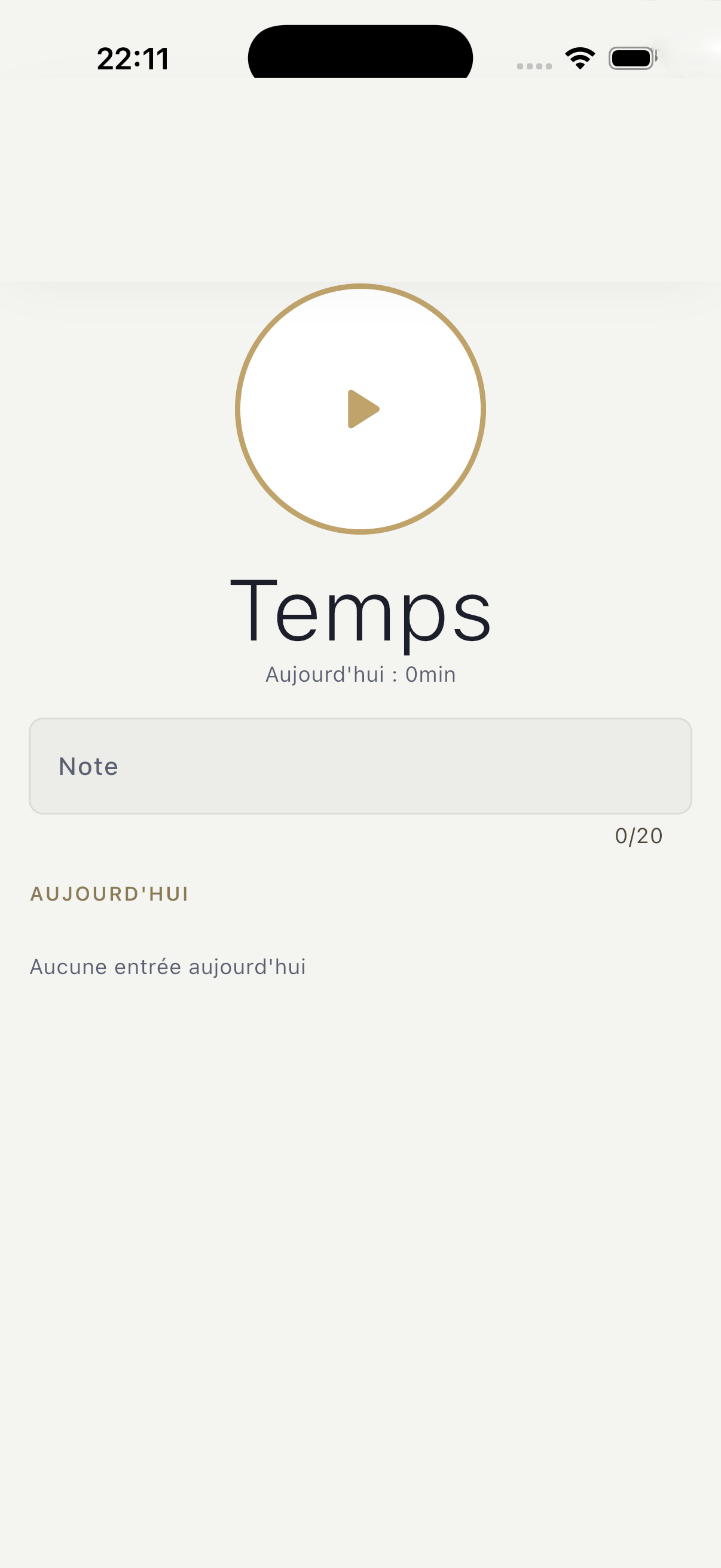
The Klok mobile app is free. Track your hours in the field, then unlock the Pro features by pairing it with your licensed Klok Desktop — over Wi-Fi, on your local network, never through the cloud.

Free version

Free version

Pro — multi-client pager

Pro — multi-client pager

Klok Mobile
Free
Pro (paired)
One-click timer
Client management
Today's entries & comments
CSV export
Multi-client pager (swipe)
Protected pause (long-press)
Wi-Fi sync with Klok Desktop (offline)
Icon & colour per client

Pro is unlocked by pairing locally with an already-licensed Klok Desktop — it is not an in-app purchase. Nothing to pay inside the app, 0% commission, and your hours sync directly between phone and workstation over Wi-Fi.

🧾 Coming soon: quick PDF receipt and Twint / SumUp payment for on-site billing.

Coming soon to the storesApp Store Coming soon to the storesGoogle Play

Free. Durable.
Independent.

In a world where every software tries to subscribe you, collect your data or make you dependent on a tech giant — Klok does the opposite.

No Big Tech dependency

Klok communicates with neither Google, Microsoft, nor Meta. No account to create, no changing terms of service, no ad tracking. You are the sole owner of your software.

Built to last

No monthly subscription that disappears the day you stop paying. Klok is yours forever. If klokapp.ch closes tomorrow, your software keeps working exactly as it does today.

Your data, your machine

All your hours, clients and exports stay on your computer. No external server, no unsolicited remote access, no possible leak. Privacy is not a feature — it's the architecture.

Permanent licence.
No subscription.

One purchase, the software is yours. No hidden fees, no annual renewal.

Bexio
~2'100 CHF
over 5 years (subscription)
VS
Klok
69 CHF
once · forever
Solo
Klok Standard

One user, all the essentials to manage your time every day.

  • Unlimited time tracking
  • Client management
  • XLSX & CSV export (Crésus, Sage, Winbiz)
  • DB Editor included
  • Windows & macOS
CHF 69.—

Permanent licence · 1 device

Get this licence
Most popular
Klok Team

Multiple collaborators on a shared workstation, every hour tracked to the right name.

  • Everything in Klok Standard
  • Unlimited users
  • Export filtered by user
  • Switch user in one click
  • Multi-user DB Editor
  • Windows & macOS
CHF 99.—

Permanent licence · unlimited users

Get this licence
New · Free
Klok Mobile

The iOS & Android app is free. Pro unlocks by pairing with a licensed Klok Desktop — no in-app purchase, 0% commission.

Free

App Store & Google Play · soon

Discover Klok Mobile ↓
Custom
Klok Custom — Personalised version

A fully branded version of Klok: your logo replaces the Klok logo, buttons with your icons, colours and categories. Klok Team included. Remote installation included. For clients who want a tool that is truly their own.

  • Your logo replaces the Klok logo
  • Custom buttons — icons & colours of your choice
  • Categories and labels adapted to your trade
  • Klok Team licence included
  • Remote installation & setup included
  • Priority updates
CHF 349.—

One-time flat fee · turnkey

Request information
Service
Remote installation & setup

Full installation by your Klok technician via remote access. Software setup, configuration, automated backup solution and Klok Standard licence for 1 workstation included.

Essential
199 CHF
Install + config
Pro
500 CHF
+ accounting integration
Enterprise
On request
Multi-PC + training
  • Klok Standard licence for 1 workstation included
  • Remote install via SOS Splashtop
  • Full configuration & licence activation
  • Automated backup setup (script or software)
  • Guided onboarding included
CHF 199.—

One-time flat fee · per device

Request installation
Roadmap

The Klok suite is growing.

Klok is designed from the ground up to evolve. Your purchase today funds the full ecosystem — and your data will be 100% compatible with future versions.

🖥️
Available now
Klok Desktop

Windows & macOS · local data · accounting export

📱
Free · soon on the stores
Klok Mobile

iOS & Android · free · local data · pairs over Wi-Fi with the licensed Desktop to unlock Pro

🗄️
Planned
Klok Server

Admin console · multi-workstation · team data consolidation · hosted on your network

🇨🇭 Built in Switzerland, at our own pace, without investors. No unnecessary features, no privacy compromise.

You're never on your own.

Real human support, based in Switzerland. Fast response, remote assistance when needed.

Email support

Send us your question. Response guaranteed within 24 business hours, usually much faster.

support@klokapp.ch →
Remote assistance

If needed, our technician securely takes control of your screen via Splashtop SOS. No installation required.

sos.klokapp.ch →
Updates included

Updates for your version are included in your licence. No hidden fees, no year-end surprises.

No. Klok Mobile is free on the App Store and Google Play. Pro features unlock by pairing the app with an already-licensed Klok Desktop on your local network — it is not an in-app purchase and there is no commission.

The licence is tied to your workstation. If you change machines, contact us at support@klokapp.ch — we transfer your licence free of charge.

Yes, 100%. Klok is entirely local. All data is stored on your machine. Internet is only needed for remote assistance during a support session. Mobile ↔ desktop sync runs over local Wi-Fi, without going through the internet.

Each licence is valid for one workstation. For multiple machines, contact us — we offer volume pricing. Klok Team manages multiple users on a single workstation.

Your data never leaves your machine. Klok connects to no server and collects no information. The database is automatically backed up in your Documents folder.

Ready to take back control
of your time?

Contact us to receive your licence key by e-mail. Immediate delivery, no complex installation.